- 19 Nov, 2026
Conversion Lag in Advertising: 3 Clocks to Check Before Pausing a Campaign
Your advertising campaign has spent money, generated clicks, and attracted visitors. But the dashboard shows very few conversions. The cost per acquisition looks high, and the return on ad spend appears disappointing.
The obvious reaction is to pause the campaign, change the targeting, or replace the creatives. But what if the campaign has not had enough time to show its actual results?
A conversion does not always happen immediately after an ad interaction. A customer may need time to make a decision. The attribution system may have a limited window for crediting that conversion. And the tracking platform may not display the event as soon as it happens.
These are three separate timing issues. Treating them as one can lead advertisers to make decisions based on incomplete information.
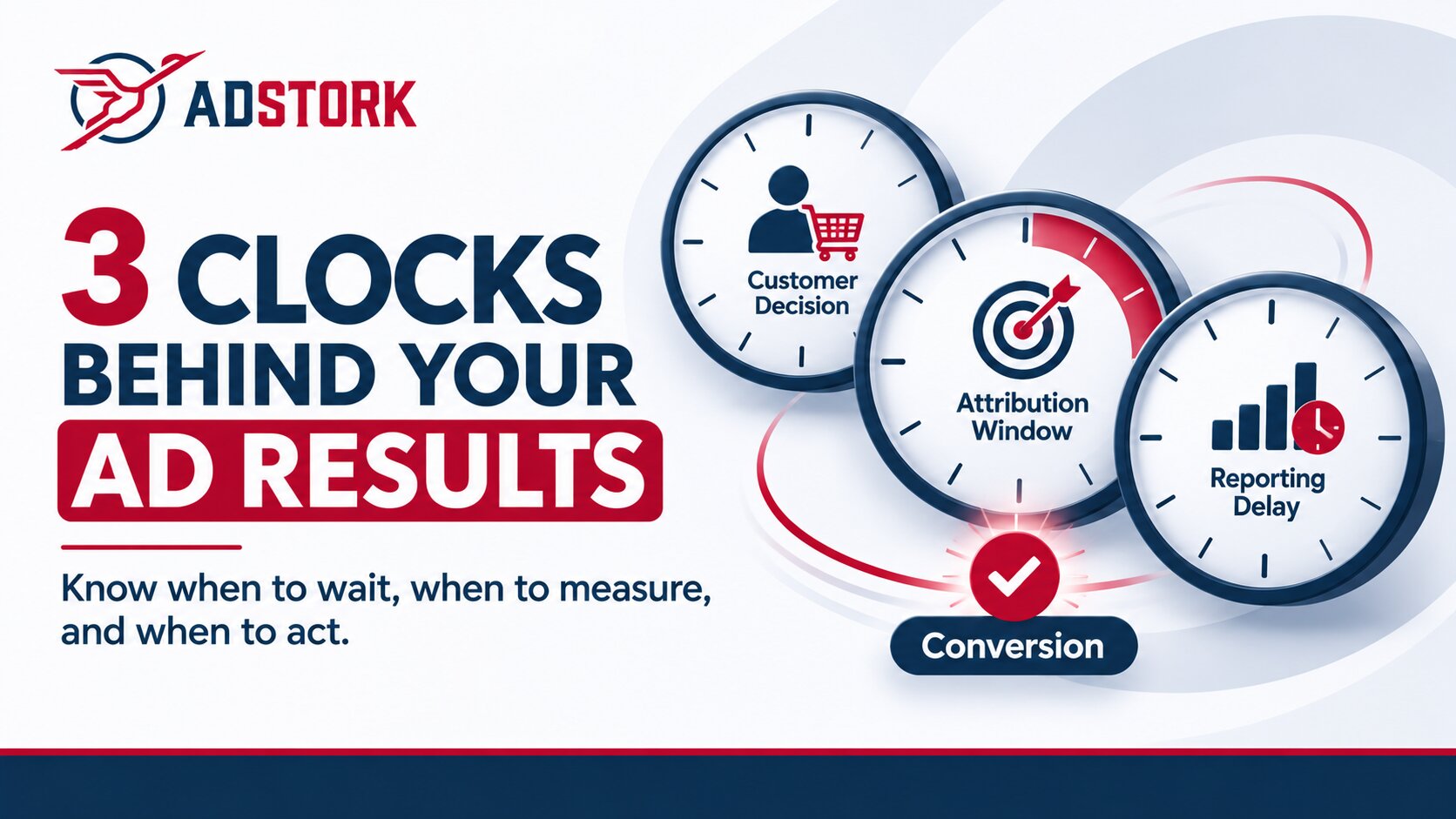
The central idea: audit three clocks before judging campaign performance.
Customer decision clock: How long does someone take to convert after interacting with an ad?
Attribution clock: How long can that conversion be credited to the advertising interaction?
Reporting clock: How long does it take for the conversion data to reach the dashboard?
Understanding these three clocks can help advertisers distinguish genuine campaign problems from delayed or incomplete reporting.
In This Article
- Why a campaign can look unprofitable before its results mature
- The three clocks behind advertising results
- Clock 1: The customer decision clock
- Clock 2: The attribution clock
- Clock 3: The reporting clock
- How to perform a Three-Clock Audit
- When should you actually pause a campaign?
- A better way to evaluate campaign performance
- Where ad networks fit into the process
- Frequently asked questions
1. Why a Campaign Can Look Unprofitable Before Its Results Mature
Imagine an online store launches a new advertising campaign on Monday.
By Tuesday evening, the campaign has spent $500 and generated a substantial number of visits. However, the advertising dashboard reports only two purchases. Based on the available numbers, the advertiser calculates a high acquisition cost and considers stopping the campaign.
On Wednesday, more visitors return to the store and complete their purchases. On Thursday, additional conversion events appear in the advertising platform after tracking and reporting updates.
The original campaign did not necessarily become more effective overnight. Some of its results simply became visible later.
| Day | Illustrative activity | What the advertiser sees |
|---|---|---|
| Monday | Campaign launches and visitors arrive. | Clicks and initial activity. |
| Tuesday | Some visitors complete purchases. | Only some conversions are visible. |
| Wednesday | Other visitors return and convert. | Additional conversions become available. |
| Thursday | Tracking and reporting updates are processed. | The reported results may change again. |
This is an illustrative scenario, not a prediction that every campaign will produce conversions after three days. The actual delay depends on the product, audience, conversion action, tracking setup, and advertising platform.
Google Ads describes conversion lag as the time between an ad interaction and the conversion action. It also explains that recent campaign data can make CPA appear higher and ROAS lower until delayed conversions are accounted for. Google's conversion lag reporting guide explains this distinction.
The important question is not simply whether the dashboard looks poor today. It is whether the data is mature enough to support a decision.
2. The Three Clocks Behind Advertising Results
Advertising performance is often evaluated through a single reporting period: yesterday, the last seven days, or the current month. But the events behind those numbers do not necessarily happen on the same schedule.
A useful way to understand the process is to separate the three clocks.
CLOCK 01
Customer Decision
The time between an ad interaction and the customer's actual decision to complete an action.
CLOCK 02
Attribution
The period during which a conversion can be credited to an eligible advertising interaction.
CLOCK 03
Reporting
The time needed for conversion information to travel through tracking systems and appear in reports.
These clocks answer different questions. A customer can convert quickly while the reporting system displays the event later. A customer can also convert after a longer decision period, but outside the attribution window. In that case, the conversion may never be credited to the original advertising interaction.
Understanding the difference is the first step toward diagnosing an apparently underperforming campaign.
3. Clock 1: The Customer Decision Clock
The customer decision clock measures how long it takes someone to move from an advertising interaction to the desired action.
A person who clicks an advertisement for a low-cost product may purchase immediately. Someone researching business software, financial services, or a high-value product may need several visits, comparisons, approvals, or conversations before making a decision.
The advertising interaction can happen in seconds. The buying decision may take much longer.
Why decision time differs by conversion type
| Conversion action | Possible customer behavior | What to examine |
|---|---|---|
| Product purchase | Immediate purchase or a return visit. | Time from click to completed order. |
| Software subscription | Research, trial, comparison, and subscription. | Time from first interaction to paid subscription. |
| Lead generation | Form submission followed by sales qualification. | Time to enquiry and subsequent qualification. |
| App installation | Install followed by registration or another in-app action. | Time between install and the target in-app event. |
How advertisers can measure this clock
Start with the timestamp of the advertising interaction and compare it with the timestamp of the completed conversion. Where the tracking setup supports it, use a unique click identifier or another reliable event identifier to connect the two.
For example, an advertiser can group completed purchases by the date of the original click rather than looking only at the date when the purchase happened. This helps reveal whether visitors from earlier campaign days are still converting.
If an advertiser has enough historical data, they can calculate the distribution of time between interaction and conversion. The objective is to understand the actual customer journey, not to assume that every audience behaves the same way.
Practical question:
Are visitors failing to convert, or are they taking longer than the campaign's current evaluation period to make a decision?
4. Clock 2: The Attribution Clock
The attribution clock determines how long an advertising platform can credit a conversion to an eligible ad interaction.
This is different from the time a customer actually takes to convert. A person may click an advertisement, return to the website several days later, and complete a purchase. Whether that purchase is attributed to the original interaction depends on the platform's attribution rules and the applicable conversion window.
What is an attribution window?
An attribution window is the period after an eligible advertising interaction during which a conversion can be counted or credited according to the platform's rules.
For example, imagine an advertiser uses a seven-day click-through conversion window:
- A person clicks an advertisement on the 1st of the month.
- The person completes a purchase on the 5th.
- The purchase falls within the seven-day window, subject to the platform's attribution rules.
- If the purchase happens outside that window, it may not be attributed to that interaction.
The exact rules vary by platform, conversion source, attribution model, and interaction type. Advertisers should check the settings for the conversion action they are actually measuring.
Google Ads allows advertisers to configure conversion windows for individual conversion actions. Its documentation also explains that conversions occurring outside the selected window will not be recorded as conversions for that interaction. It recommends examining time-lag reporting to help choose an appropriate window. Read Google's guide to conversion windows.
What happens when the window is too short?
A short attribution window can exclude conversions that occur later in the customer's decision process. This can make a campaign appear to have generated fewer conversions than the advertiser's broader business records suggest.
However, simply extending the window is not automatically the right solution. A longer window does not prove that every later purchase was caused by the advertisement. Advertisers must still consider attribution rules, other marketing interactions, and their measurement model.
What advertisers should check
- Which attribution model is being used?
- What is the click-through conversion window?
- Are view-through or engaged-view interactions included?
- Does the selected window reflect the actual customer decision cycle?
- Are different platforms using different attribution settings?
A campaign should not be judged by comparing conversion totals from platforms that use different attribution definitions without first understanding those differences.
5. Clock 3: The Reporting Clock
The third clock concerns how conversion information moves from the advertiser's website, application, or backend system into the reporting platform.
A customer may already have completed a purchase, registration, or subscription. But the event may not yet appear in the dashboard being used to evaluate the campaign.
This can happen because of tracking implementation, server-to-server communication, event processing, reporting updates, or other platform-specific data delays.
Pixels, server events, and postbacks
Advertisers commonly use tracking pixels, platform tags, analytics events, or server-to-server (S2S) postbacks to transmit conversion information.
With S2S tracking, an advertiser's server or tracking system sends conversion information directly to another server through a configured request. A unique click ID or tracking parameter can help connect the conversion with the original advertising interaction.
For example, a typical tracking flow may look like this:
If an identifier is missing, a postback is incorrectly configured, or an event is not transmitted successfully, the reporting platform may not receive the conversion as expected. These are tracking problems, not necessarily evidence that the advertising traffic failed.
PropellerAds' documentation provides an example of this process. Its S2S guide explains how unique identifiers such as SUBID can be used to pass conversion information, and notes that a conversion may take up to 24 hours to register in its statistics. That timing is specific to its documented process and should not be treated as a universal reporting delay. See the PropellerAds S2S tracking guide.
Google Ads also documents reporting delays and data adjustments. Its help documentation notes that conversion reporting can experience delays, and that some metrics may be updated after an event occurs. Review Google's guidance on missing data and discrepancies.
How to identify a reporting problem
Compare the conversion records in the advertiser's own system with the events shown in the tracking platform and advertising dashboard. Where possible, compare records using the same event IDs, click IDs, timestamps, and conversion definitions.
Look for patterns such as:
- Conversions recorded in the website or CRM but missing from the advertising platform.
- Postback requests that fail or return an unexpected response.
- Missing or incorrectly mapped click identifiers.
- Different conversion totals across systems because of attribution rules or reporting definitions.
- Events that appear in reports later than the original conversion time.
Do not assume that every difference between two dashboards is a technical error. Different platforms may count, attribute, deduplicate, or process events differently. First identify what each system is measuring.
6. How to Perform a Three-Clock Audit
Before changing a campaign, advertisers can use the following audit to identify which timing issue may be affecting their reported results.
The objective is not to delay every campaign decision. It is to make sure the decision is based on the right evidence.
The Three-Clock Audit Worksheet
CLOCK 1 — Customer Decision
- What is the exact conversion action?
- How much time usually passes between an ad interaction and that action?
- Are visitors returning before converting?
- Do different products, audiences, or conversion types have different decision cycles?
CLOCK 2 — Attribution
- What attribution model is being used?
- What is the configured conversion window?
- Are the relevant interactions eligible for attribution?
- Are different reporting platforms using different attribution settings?
CLOCK 3 — Reporting
- Is the conversion recorded in the advertiser's own system?
- Is the tracking event reaching the intended platform?
- Are click IDs and postback parameters being passed correctly?
- Does the reporting platform document a processing or data-update delay?
Turn the audit into a decision
| What you discover | What it may mean | Next action |
|---|---|---|
| Visitors are converting after several days. | The customer decision cycle is longer than the evaluation period. | Review click cohorts and allow a suitable evaluation period. |
| Conversions happen outside the configured window. | Some later actions may not qualify for attribution. | Review the window and attribution rules. |
| The backend records conversions, but the dashboard does not. | There may be a tracking or reporting issue. | Test event delivery, identifiers, and postback configuration. |
| All three clocks have been checked, and results remain poor. | The campaign may have a genuine performance problem. | Investigate targeting, creative, landing page, offer, and traffic quality. |
7. When Should You Actually Pause a Campaign?
Understanding conversion lag does not mean every campaign deserves more time. Some campaigns genuinely perform poorly, and continuing to spend without a clear reason can increase losses.
The key is to separate a campaign that has not produced enough mature data from one that has produced enough evidence to show a problem.
Consider reviewing or pausing when:
- The tracking is verified: The conversion event is working, identifiers are being passed, and the relevant reports are receiving data.
- The evaluation period is appropriate: The campaign has been assessed against its actual conversion delay and attribution settings.
- The business outcome remains weak: Matured results still fall below the advertiser's acceptable acquisition cost, revenue, or lead-quality requirements.
- The funnel shows a clear problem: There is evidence of a weak landing page, unsuitable offer, poor audience fit, or low-quality traffic.
- The campaign is exceeding its risk limit: The advertiser's predefined spending or loss threshold has been reached.
Conversely, be cautious about making a permanent decision when:
- Recent click cohorts have not completed their normal conversion cycle.
- The platform indicates that recent conversion data is still affected by lag.
- Conversions are visible in the advertiser's system but have not appeared in the campaign report.
- The attribution window or tracking setup has not been verified.
A useful rule:
Do not confuse patience with optimization. Give data the time it needs to mature, but set spending limits and review points in advance. If the evidence shows a genuine problem, act on it.
8. A Better Way to Evaluate Campaign Performance
One of the most useful changes advertisers can make is to distinguish between the date an advertising interaction happened and the date a conversion was recorded.
These dates answer different questions:
- Interaction-date reporting: How many conversions are eventually associated with the advertising interactions from a particular period?
- Conversion-date reporting: How many conversion events happened during a particular period?
Both views can be useful, but they should not be treated as interchangeable.
Use click cohorts instead of judging every day in isolation
A click cohort groups advertising interactions by the period in which they occurred. Advertisers can then observe how many conversions those interactions generate as time passes.
For example, compare the visitors acquired on Monday with those acquired on Tuesday. Instead of judging both groups only by the conversions visible at the end of their first day, continue observing each group through the relevant conversion period.
This makes it easier to identify whether:
- One campaign generates conversions faster than another.
- Some traffic sources have longer decision cycles.
- Recent campaign results are incomplete.
- Conversion rates improve as more time passes.
When comparing campaigns, keep the conversion definition, attribution rules, and evaluation period consistent. Otherwise, a campaign may appear better simply because it has been observed for longer or measured differently.
Advertisers using Google Ads can also explore its conversion-lag reporting and the Days to Conversion segment, where available, to understand how conversion timing affects reported performance. See how Google Ads presents conversion-lag data.
9. Where Ad Networks Fit Into the Process
In programmatic advertising, campaign measurement can involve several parties: the advertiser, the advertiser's tracking platform, the ad network, and the publisher or traffic source.
Each party may have access to a different part of the measurement process. The advertiser may hold purchase or lead records, the tracker may connect conversion events with click identifiers, and the ad network may provide campaign or traffic-delivery statistics according to its integration and reporting setup.
This makes clear communication important. If the advertiser's conversion total differs from the network's reported total, both sides should first establish what each system records and how the data is transmitted.
What advertisers and traffic partners should align on
- Tracking identifiers: Which click ID, sub-ID, or campaign parameters are passed between systems?
- Conversion definitions: Are both parties measuring the same action?
- Reporting periods: Are the reports based on interaction date or conversion date?
- Attribution rules: Which platform is responsible for assigning conversion credit?
- Data delays: Are there known reporting or processing delays?
- Discrepancy handling: What records should both parties compare when totals do not match?
A clear measurement agreement makes campaign reviews more productive. Instead of immediately blaming traffic quality or tracking, advertisers and partners can identify where the discrepancy begins.
For advertisers working with Adstork, the same principle applies: define the conversion being evaluated, agree on the relevant tracking parameters, and compare reporting data using consistent measurement rules. The exact tracking and reporting information available depends on the campaign integration and agreed setup.
If you are exploring programmatic advertising for your business, visit Adstork to learn more about the advertising network.
10. Frequently Asked Questions
1. What is conversion lag in advertising?
Conversion lag is the time between an advertising interaction and the moment a user completes the desired action. For example, someone may click an advertisement today but complete a purchase several days later. This delay can affect how recent campaign performance appears in reports.
2. What is the difference between conversion lag and reporting delay?
Conversion lag is the time a customer takes to complete an action after an ad interaction. Reporting delay is the time it takes for conversion information to appear in a reporting platform after the event occurs. One concerns customer behavior; the other concerns data processing and delivery.
3. What is an attribution window in digital advertising?
An attribution window is the period during which a conversion can be credited to an eligible advertising interaction under a platform's attribution rules. The window varies by platform, conversion action, and interaction type.
4. How long should advertisers wait before judging campaign results?
There is no universal waiting period that works for every campaign. Advertisers should examine their historical conversion timing, attribution settings, tracking configuration, and reporting delays. The evaluation period should reflect the actual conversion journey and the campaign's financial risk limits.
5. Can a conversion happen but not appear in the advertising dashboard?
Yes. The event may not be transmitted correctly, may be delayed, may lack the identifier required for attribution, or may fall outside the platform's attribution rules. Comparing backend records, tracking logs, and platform reports can help identify the reason.
6. Does server-to-server tracking eliminate conversion reporting delays?
No. S2S tracking provides a way to transmit conversion information directly between servers, but it does not guarantee that every event will be delivered, attributed, processed, or displayed immediately. Correct configuration and monitoring are still necessary.
7. Should advertisers pause campaigns when CPA suddenly increases?
Not automatically. First check whether recent conversions are affected by customer decision time, attribution settings, or reporting delays. If the data is mature and the campaign continues to miss its performance targets, investigate the underlying problem and decide whether to adjust or pause it.
8. Why do advertising platforms show different conversion totals?
Platforms may use different attribution models, conversion windows, event definitions, deduplication rules, and reporting timelines. Compare the settings and measurement methods before treating the difference as a tracking error.
Final Thoughts: Give Your Campaign Data the Right Time to Speak
A campaign dashboard shows what a reporting system currently knows. It does not always show the complete outcome of every advertising interaction.
Before pausing a campaign, separate the customer decision clock, attribution clock, and reporting clock. Check whether customers are still converting, whether those conversions are eligible for attribution, and whether the tracking system is receiving the events correctly.
If the results remain weak after the relevant data has matured, take action. Review the audience, creative, offer, landing page, traffic source, and conversion funnel. But avoid making expensive decisions based on incomplete reporting.
Better advertising decisions start with better measurement. Learn more about programmatic advertising and campaign opportunities at Adstork.
Keep Reading
Written by The Adstork Ad Network advertiser team

.jpg)
Leave a Comment