- 31 Aug, 2026
Switching Ad Networks Without Disrupting Your Website: What Publishers Should Know
Your current ad network is not performing the way it used to. Fill rates are slipping. CPMs are flat. Support is slow. You are considering a switch.
But switching ad networks is not like switching email providers. If you do it wrong, your revenue can plummet overnight. Users might see blank ad slots. Your analytics will become a mess. And you will have no way to know if the new network is actually better or if you just made a costly mistake.
This guide walks you through exactly how to evaluate, test, and switch ad networks without disrupting your website. It covers why publishers switch, what to compare first, how to test new networks safely, and when to scale up—with practical steps at every stage.
Key Takeaways
- Never switch entirely without testing first—a "split test" approach protects your revenue.
- Compare 12 factors before testing: approval speed, formats, demand quality, reporting, payment terms, and support.
- Run parallel tests with new networks on low-traffic placements while maintaining your existing setup.
- Compare effective RPM, fill rate, viewability, and user experience, not headline CPM.
- Scale only when the new network consistently outperforms your current setup for at least 2-4 weeks.
- Adstork is designed for easy testing—add it as an additional demand source without disrupting existing monetization.
Why Publishers Switch Ad Networks
Publishers switch ad networks for many reasons. Understanding why you are considering a switch helps clarify what you are looking for.
Declining performance. Fill rates dropping below 70%. CPMs sliding month over month. Revenue flat or falling despite traffic growth. These are signs that your network's demand sources are weakening.
Poor support. Slow responses to issues that cost you revenue. No optimisation advice. No dedicated account manager. When something breaks, you are left waiting.
Limited formats. Your network does not support video, native, or other formats that could improve your revenue. You are leaving money on the table.
Reporting gaps. You cannot see fill rate by country, CPM by format, or revenue per session. You are optimising in the dark.
Traffic growth restrictions. Your network has traffic requirements that exclude you, or they are not supporting your growth stage.
Payment issues. High minimum payouts, slow payment cycles, or limited payment methods create friction.
Geographic gaps. Your network does not cover your key geos well. Fill rates are poor in tier-2 and tier-3 countries where much of your traffic comes from.
Neuromarketing insight: the frustration of a declining relationship creates a psychological bias toward action—"anything is better than this." But this urgency can lead to rushed, poorly evaluated decisions. Resist the urge to switch immediately. Take a systematic approach to evaluation.
Step 1: What to Compare First
Before you test any new network, evaluate it against the 12-point checklist from our previous guide. But when you are considering a switch, three factors matter most for comparison.
Demand quality. What demand sources does the network connect to? Are they premium SSPs and direct advertisers, or lower-tier exchanges? Premium demand means higher CPMs and better fill.
GEO coverage. Does the network cover your key geos? If your traffic is primarily tier-2, a network focused on tier-1 will have weak fill. Match the network's strengths to your traffic profile.
Reporting transparency. Can you see fill rate, CPM, and revenue segmented by country, device, format, and placement? Transparent reporting is essential for comparing performance.
Do not compare headline CPMs. One network might promise $10 CPM but have 40% fill. Another might offer $4 CPM with 90% fill. The second network is better.
Step 2: Keep Existing Monetization During Testing
This is the most important rule of switching ad networks: never remove your current setup before testing the new one.
When you remove your current network, you lose all revenue from it. If the new network underperforms, you will have no fallback. Your revenue will drop, and you will have to re-integrate the old network—a painful process.
Instead, use a parallel testing approach. Keep your current network running on most of your inventory. Test the new network on a limited subset. This protects your revenue while you evaluate performance.
Practical approaches:
• Run new network on specific placements (e.g., only sidebar or only in-content).
• Use header bidding to add the new network as an additional demand source.
• Test on specific geos where your current network is weak.
• Run a small percentage of traffic through the new network.
This approach gives you a direct comparison without risking your primary revenue.
Step 3: Testing New Placements and Formats
If you are switching because your current network lacks certain formats, use the testing period to evaluate how the new formats perform.
Start with one new format on one placement. For example, if you currently run only display ads, test the new network's native units in your content feed. Run it for at least two weeks to gather sufficient data.
Evaluate the new placement against your existing ones. Does it generate higher effective RPM? Does it improve fill rate? Does it affect user experience metrics like bounce rate or session duration?
Do not rush to add all new formats at once. Test one at a time. Measure performance. Scale what works. Reject what does not.
Step 4: Comparing Revenue the Right Way
Headline CPM is a vanity metric. It tells you what an advertiser agreed to pay, not what you actually earned. When comparing networks, use effective RPM and revenue per session.
Effective RPM = CPM × Fill Rate
If Network A has $10 CPM and 30% fill, effective RPM is $3. Network B has $4 CPM and 90% fill, effective RPM is $3.60. Network B is better.
But go even deeper. Compare revenue per session—what you earn from each visitor. If a high-CPM network has intrusive ads that drive users away, your revenue per session will drop. The network that balances revenue with user experience will win over time.
Also compare by segment. Network A might outperform on US desktop traffic but underperform on mobile tier-2. The right network depends on your specific traffic mix.
Step 5: Monitoring Fill Rate and User Experience
Two factors that often get overlooked during network switching: fill rate and user experience. Both can make or break your revenue.
Fill rate is the percentage of ad requests that successfully display an ad. A network with high CPM but low fill might generate less revenue. Monitor fill rate by country, device, and format during testing.
User experience is harder to measure but equally important. Monitor bounce rate, session duration, and pages per visit during testing. If a new network drives users away, the short-term revenue gains will cost you long-term.
Also monitor ad quality. Are the new network's ads clean and relevant, or do they include low-quality creative that damages your brand? User complaints about ad quality are a red flag.
Run the test for at least two to four weeks. This gives you enough data to account for daily and weekly fluctuations. Longer is better—seasonality and advertiser budget cycles can affect performance.
Step 6: When to Scale (and When to Walk Away)
Once you have two to four weeks of data, you can decide whether to scale the new network or walk away.
Scale when:
• The new network consistently outperforms your current setup on effective RPM.
• Fill rate is equal or better across your key geos.
• User experience metrics (bounce rate, session duration) are stable or improved.
• Support and reporting meet your expectations.
• The performance gap is significant enough to justify the switch.
Walk away when:
• The new network underperforms on effective RPM.
• Fill rate is significantly lower.
• User experience metrics decline.
• Support is unresponsive or unhelpful.
• The performance gap is small or inconsistent.
If you decide to scale, move gradually. Start with 20-30% of your inventory. Monitor performance closely for another week. Then increase to 50%, then 75%, then 100% over a few weeks. This approach catches issues early and minimises risk.
If the new network only outperforms on certain geos, formats, or devices, consider using both networks side by side. Many successful publishers use multiple networks in a header bidding setup.
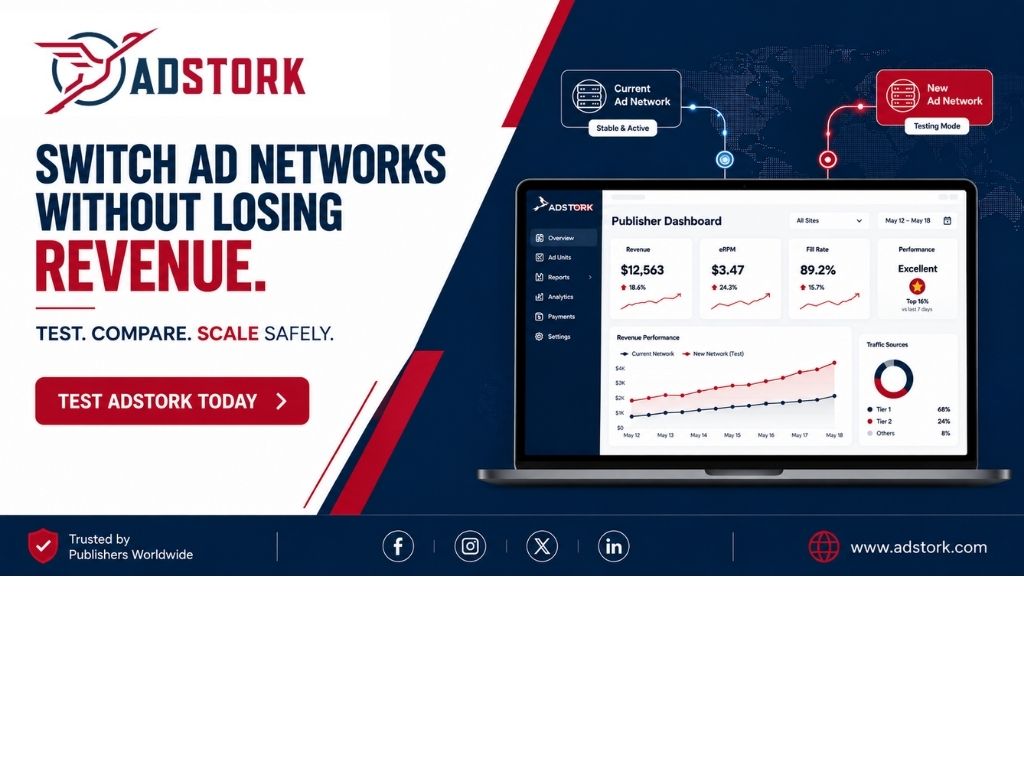
Testing new networks should be simple and low-risk. Adstork is designed for easy integration alongside your existing setup—add it as an additional demand source without disrupting your current monetization. Run a parallel test, compare performance in transparent reporting, and scale only when you see results. Sign up for a free Adstork trial and test additional demand without risking your existing revenue.
Industry Insight: What Successful Switchers Do
Analysis of publishers who successfully switched ad networks reveals common patterns.
Successful switchers run parallel tests for 2-4 weeks before making any changes. They compare effective RPM, not headline CPM. They monitor user experience metrics alongside revenue. They scale gradually, not all at once.
Unsuccessful switchers remove their current network immediately, losing revenue if the new network underperforms. They compare only CPM, missing fill rate and user experience. They switch entirely without testing, creating unnecessary risk.
The data also shows that publishers who add networks rather than replace them often see the best results. Header bidding with multiple demand sources increases competition and drives higher CPMs. The "switch" is often better framed as "add and optimise."
One publisher switched from a single-SSP setup to header bidding with three SSPs, including Adstork. They saw a 35% revenue lift within 30 days—not because any single network was dramatically better, but because competition drove higher bids across all partners.
Comparison Table: How to Compare Networks Before Switching
A quick reference guide for comparing your current network against potential alternatives.
| Factor | Current Network | New Network (Candidate) | Difference |
|---|---|---|---|
| Effective RPM | $3.50 | $4.20 | +20% |
| Fill Rate | 75% | 85% | +10% |
| Revenue Per Session | $0.12 | $0.15 | +25% |
| GEO Coverage | Weak in tier-2 | Strong globally | Better |
| Reporting | Basic | Granular, transparent | Better |
| Support | Slow | Responsive, dedicated | Better |
| User Experience Impact | Intrusive ads | Balanced, clean | Better |
Future Outlook: The Network Landscape in 2026 and Beyond
The ad network landscape is changing. Understanding future trends helps you choose a network that will grow with you.
First-party data integration is becoming essential. Networks that help you collect and activate first-party data will be more valuable. Choose a network that supports audience segmentation and data sharing.
Header bidding is becoming the default. Networks that do not support header bidding will be left behind. Multi-SSP competition drives higher CPMs.
AI-powered optimisation is becoming available. Networks that provide automated optimisation recommendations will help you maximize revenue.
Transparency requirements are increasing. Publishers are demanding more visibility into demand sources, fees, and auction dynamics. Choose a network that provides transparent reporting.
When evaluating new networks, look for partners that are investing in these capabilities. The network that helps you prepare for the future will be a better long-term partner.
Switching ad networks is a major decision. Done wrong, it can disrupt your revenue, confuse your analytics, and frustrate your users. Done right, it can unlock significantly higher earnings and a better partnership.
The key is a systematic, data-driven approach. Compare networks on 12 factors. Run parallel tests. Compare effective RPM and revenue per session, not headline CPM. Monitor user experience. Scale gradually. Walk away if performance does not meet expectations.
Adstork makes it easy to test additional demand without disrupting your current setup. Add us as a new demand source, run a parallel test, and see the results in transparent reporting. Sign up for a free Adstork publisher account and start testing additional demand today.
Your immediate action plan: Identify why you are considering a switch. What is your current network missing? Use the 12-point checklist to evaluate alternatives. Start a parallel test with one new network on a limited placement. Run for 2-4 weeks. Compare effective RPM, fill rate, and user experience. Make a data-driven decision.
Frequently Asked Questions
How do I switch ad networks without losing revenue? Never remove your current network before testing the new one. Run a parallel test on a limited subset of your inventory while keeping your current network active. Compare performance for 2-4 weeks before making any changes.
How long should I test a new ad network before switching? Test for at least 2-4 weeks. This gives you enough data to account for daily and weekly fluctuations. Longer is better—seasonality and advertiser budget cycles can affect performance.
What metrics should I compare when switching ad networks? Compare effective RPM (CPM × Fill Rate), revenue per session, fill rate by GEO and device, and user experience metrics like bounce rate and session duration. Do not compare headline CPM alone.
Should I switch entirely or add a second network? Many successful publishers use multiple networks in a header bidding setup rather than switching entirely. Adding demand sources increases competition and can improve overall revenue. Only switch entirely if the new network clearly outperforms your current one in every relevant segment.
What are the risks of switching ad networks? Revenue disruption if the new network underperforms, blank ad slots during migration, analytics confusion, user experience degradation from poor ad quality, and time lost managing the transition. Parallel testing mitigates these risks.
How do I know if a new network is really better? Compare performance across multiple metrics over 2-4 weeks. Look for consistent outperformance in effective RPM, fill rate, and revenue per session. Ensure user experience metrics are stable or improved. Only scale when the data is clear and consistent.




Leave a Comment